
For the better part of a century, the quality of a car was measured by the rhythmic heartbeat of its engine and the tactile precision of its gearbox. We were conditioned to worry about oil viscosity, belt tension, and spark plug gaps. However, the modern automotive landscape has shifted beneath our feet—or rather, beneath our fingertips. Today, the most vital "mechanical" component of your vehicle is often found not in the engine bay, but behind the steering wheel in the form of a high-definition, processor-heavy infotainment system.
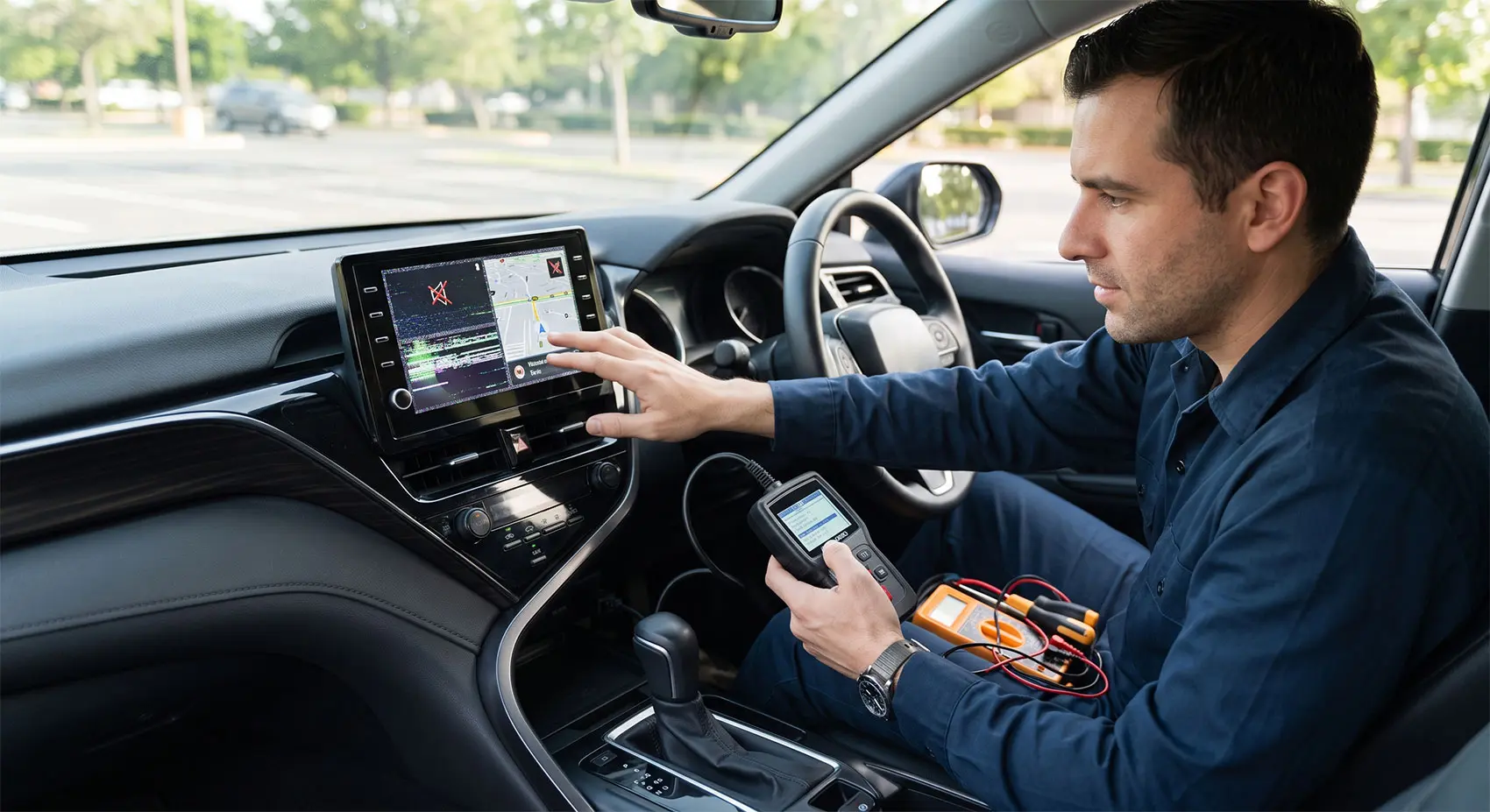
As cars become essentially rolling computers, they are susceptible to a phenomenon that many enthusiasts are beginning to call "Digital Rot." Just as moisture causes rust to gnaw at the steel chassis of a classic car, software entropy causes sluggishness, memory leaks, and interface crashes that degrade the user experience of a modern vehicle. Digital rot isn't just an annoyance; it is a creeping technological obsolescence that can significantly diminish the resale value of your car. When a prospective buyer sees a frozen menu, flickering maps, or a non-responsive touchscreen, they don't just see a software glitch—they see a neglected machine.
The transition from purely mechanical maintenance to proactive software hygiene is the new "oil change" of the 21st century. Ignoring your car’s firmware is akin to running an engine on sludge; eventually, the system will seize. This guide is designed to help you navigate this transition, offering a roadmap for keeping your infotainment system as sharp and responsive as the day you drove the car off the dealership lot. By understanding the digital vulnerabilities of your vehicle, you can prevent the slow crawl of performance degradation and ensure that your driving experience remains as seamless as a high-performance engine.
The Anatomy of Digital Rot
To understand why your car’s screen suddenly lags or your maps refuse to load, you must first understand the concept of "software entropy." In a mechanical engine, friction and heat are the enemies; in an infotainment system, the enemies are data accumulation and process stagnation.To truly grasp the scale of digital rot, consider the "Software-Defined Vehicle" (SDV) paradigm. Unlike your home laptop, where you can easily swap out RAM or a graphics card, a car's infotainment system is a "closed box." Manufacturers often use proprietary chipsets that are not upgradable. When you have an older processor running an OS version meant for newer, high-performance hardware, the "rot" isn't just a matter of cache files it’s a hardware-software bottleneck. This is why "proactive hygiene" is so critical; you aren't just cleaning files, you are optimizing every single CPU cycle available to keep the system feeling "new" for as long as possible.
- Software Entropy: The Silent Performance Killer: Just as a room gets cluttered over time, a car's operating system accumulates "digital dust." Every time you connect your phone, sync a contact list, or stream music, the system creates cache files—temporary data designed to speed up future access. However, over months and years, these files can become fragmented or corrupted. When the system’s middleware tries to navigate this bloated digital landscape, it spends more cycles managing its own mess than executing your commands. This results in the "stutter" you notice when toggling between drive modes or navigation views. If not periodically "cleaned," this entropy leads to system crashes, where the head unit must perform a hard reboot to resolve a conflict that shouldn't have existed in the first place.
- Connectivity Fatigue and Handshake Issues: Modern cars are perpetually "talking" to servers. They check for weather, traffic updates, remote telematics, and account synchronization. This is known as the "handshake" process. When your vehicle attempts to connect to a cellular network with poor reception or a server that is temporarily overloaded, it can get stuck in a loop of failed requests. This "connectivity fatigue" drains the processor’s resources. Often, what feels like a frozen screen is actually a system trapped in an infinite loop, waiting for a packet of data that has already timed out.
- Hardware vs. Software Mismatch: The most frustrating aspect of digital rot is the mismatch between aging hardware and bloated software. Infotainment processors are often chosen during the vehicle’s design phase, years before it hits the showroom floor. When manufacturers push major software updates that include new, high-resolution graphics or additional background services, they are effectively forcing an older processor to run modern, demanding code. It’s like installing the latest, most feature-rich operating system on a laptop from 2015. While the features are "new," the hardware struggles to keep up, leading to the creeping degradation of the interface’s responsiveness that defines modern digital rot.
The Maintenance Checklist (Your Digital Tune-up)
Preventing "digital rot" doesn't require a degree in computer science, but it does require a shift in how you perceive car ownership. You are no longer just maintaining a machine; you are managing a network. Below is your essential digital tune-up schedule to keep your infotainment system running at peak performance.
1. Mastering the Over-the-Air (OTA) Update Cycle: Most modern vehicles receive firmware updates through cellular connections or Wi-Fi. However, these updates often fail if interrupted or if the car lacks enough "breathing room" in its memory.
-
The Proactive Approach: Don’t wait for a forced update. Once a month, navigate to your vehicle’s settings menu and manually check for updates while parked in a location with strong Wi-Fi.
-
Stability Tip: Ensure your car is running or connected to a battery tender during large updates. A power-starved system during a firmware flash can lead to corrupted partitions, which is the fastest way to accelerate digital rot.
2. Clearing the "Digital Cobwebs": Just as you clean your windshield, you must clean your system’s cache. Many users are unaware that their head units have a "System Maintenance" or "Storage" submenu.
-
Cache Management: Regularly clear the cache for your navigation and media apps. This removes the temporary "ghost" files that accumulate during route recalculations or long streaming sessions.
-
Bluetooth Reset: If you notice connection stutter, don’t just toggle your phone's Bluetooth. Go into your car's settings, delete your phone profile entirely, and re-pair it as a new device. This forces the car to re-index your contact list and media permissions, flushing out old connection protocols that may have become corrupted.
3. Peripheral Hygiene: The Integration Bottleneck: Often, the "rot" isn't in your car—it’s in the bridge between your smartphone and the head unit. Apple CarPlay and Android Auto are essentially "remote desktop" applications. If your smartphone is bloated, running low on storage, or has outdated apps, that latency is mirrored onto your car’s screen.
-
The Bridge Check: Before blaming your car, test with a different device. If the lag disappears, your phone is the source of the bottleneck.
-
Cable Integrity: For wired connections, remember that data cables degrade. A frayed or oxidation-prone USB cable can drop packets, leading to the exact symptoms of system lag. Replace your cable every 12 months to ensure clean, high-speed data transfer.
Beyond the Screen Systematic Preservation
While technical maintenance keeps the software running, true "digital longevity" requires a change in your long-term relationship with your vehicle’s technology. The modern car is a complex ecosystem, and how you manage the digital environment surrounding the vehicle is just as important as how you manage the settings within the head unit.
- Managing App Permissions and Background Clutter: Just as a smartphone slows down when too many apps are running in the background, your car’s head unit can become overwhelmed by excessive permissions. Many infotainment systems now support native applications—from music streaming services to third-party weather or parking apps. It is a common temptation to install every available utility, but each app creates a "background footprint." These apps often compete for system resources, specifically RAM and processor cycles. Periodically audit your installed apps. If you haven't used an app in months, remove it. This isn't just about storage space; it’s about reducing the complexity of the startup sequence. A leaner system boots faster and remains more stable over the life of the vehicle.
- The Stability of Sync Services: Connectivity is the lifeblood of the modern cockpit, but it is also a potential point of failure. Your car’s cloud services—used for remote start, climate control pre-conditioning, or real-time traffic data—rely on a stable handshake with the manufacturer’s servers. If you frequently park in underground structures or areas with poor cellular signal, the vehicle may repeatedly attempt to reconnect, draining resources and creating logs that can, over time, lead to system instability. If you find your system acting "glitchy" specifically after long periods of poor connectivity, force a system refresh by parking in a high-coverage area and allowing the system to perform a full, successful sync cycle.
- When to Consult a Dealer: The "Hard" vs. "Soft" Failure: It is vital to distinguish between software-related digital rot and a hardware-level failure. A software glitch usually manifests as lag, random app crashes, or connectivity issues that come and go. A hardware failure is more terminal: a screen that remains black, permanent touch-input dead zones, or persistent error codes that return immediately after a factory reset. If you have performed the recommended maintenance steps—cleared the cache, re-paired devices, and confirmed your firmware is updated—and the issues persist, it is time for professional intervention. At this point, the "rot" may have moved beyond the software and into the onboard storage modules, which are often non-serviceable by the end-user. Don't be afraid to demand a deep-dive diagnostic; sometimes, the most effective "update" is a full hardware-level re-flash of the OS by the dealership.
The Hardware Bottleneck – A Technical Deep Dive
To understand why some systems "rot" faster than others, one must look at the "SoC" (System-on-a-Chip) architecture. Many automotive infotainment systems operate on integrated circuits that were finalized 3–5 years before the car was built.
-
Thermal Throttling: Unlike a home computer, your car’s head unit is subjected to extreme temperature fluctuations—from sub-zero winter mornings to blistering summer afternoons. Repeated thermal cycling causes micro-stresses on solder joints and memory modules. Over time, this hardware fatigue makes the system more sensitive to software-level errors, essentially magnifying the impact of a simple software glitch.
-
Storage Degradation: Most infotainment units use eMMC (Embedded Multi-Media Card) storage, which has a finite number of "write cycles." Constant logging of telematics, navigation history, and media indexing eventually wears down the storage memory. This manifests as slow boot times, "stuttering" during high-resolution map rendering, or failed OTA update installations.
-
Mitigation: By minimizing unnecessary background tasks (like syncing massive contact lists or keeping hundreds of saved destinations), you reduce the frequency of write cycles to the eMMC storage, effectively extending the physical life of your infotainment unit.
Conclusion: The Future of Vehicle Ownership
We are living through a fundamental shift in what it means to own and maintain a vehicle. The era of the pure "gearhead" is being supplemented—and in many cases, eclipsed—by the era of the "tech-operator." As vehicles evolve into high-performance computers on wheels, the definition of vehicle maintenance has expanded to include the digital realm. Preventing "digital rot" is no longer an optional hobby for the tech-savvy; it is a fundamental pillar of modern vehicle preservation, as essential to your car’s longevity as changing the engine oil or rotating the tires.
By treating your infotainment system with the same level of care you give your mechanical components, you are doing more than just ensuring a glitch-free drive to work. You are protecting the long-term integrity of your vehicle's most interactive feature. A smooth, responsive interface keeps you focused on the road, reduces driver distraction, and ultimately maintains the resale value of your investment. When you eventually trade in your car, the buyer will likely interact with the screen before they ever pop the hood. A system that boots instantly, responds without hesitation, and syncs seamlessly with modern devices speaks volumes about the care the rest of the vehicle has received.
As software continues to become more complex, proactive hygiene will become the standard. Whether it is keeping your firmware updated, managing your cache, or ensuring your peripheral connections are pristine, these small, consistent habits will prevent the accumulation of digital rust. Remember, a high-performance engine is only as good as the driver's ability to interface with the vehicle. Keep your software lean, your connections clean, and your digital dashboard as sharp as the day it rolled off the assembly line. Your car is a machine, but it’s also a platform—treat it like one, and it will reward you with years of frustration-free, high-tech performance.


Written by Maarukh Shahbaz
Published Jul 11, 2026 in Maintenance & Tips.